
Articles on Dynamics 365 reporting
Guides and product notes from the InsightsCTRL team on data areas, scheduled reports and access control.

Latest articles
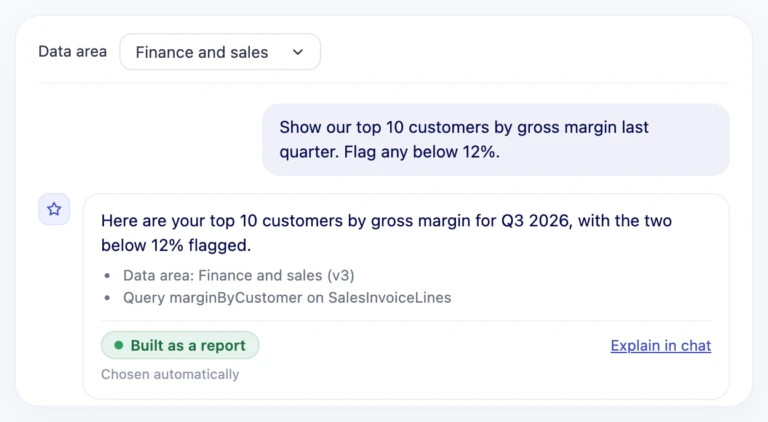
AI reporting for Microsoft Dynamics 365: from a question to a report you can check
How a plain-language question becomes a Dynamics 365 report, read-only, using your team’s data areas, with a record of how each figure was made.
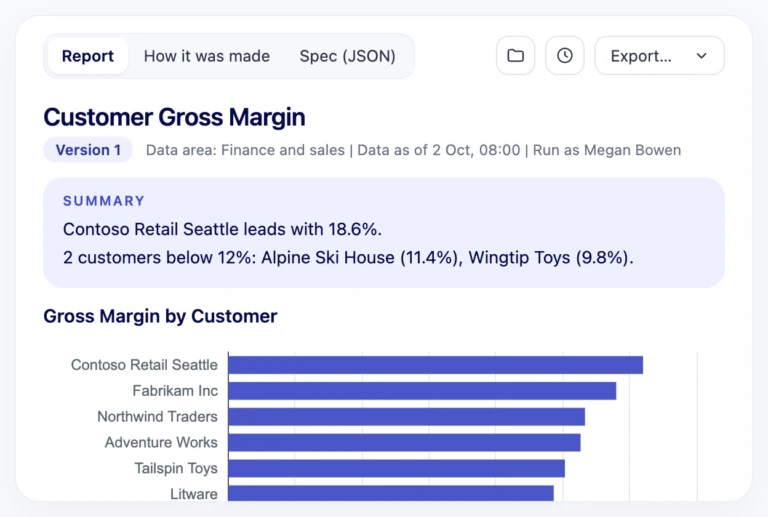
Why Finance and Sales report different gross margins, and how to agree on one
Two teams, two margin figures for the same customer. Where the gap usually comes from, and how one approved definition closes it.

Scheduling Dynamics 365 reports without rebuilding them each week
Save a report once, choose who receives it and how often, and let each run reuse the saved report.

Finding items below minimum stock in Supply Chain Management
A morning exceptions list for the replenishment team, built from one plain-language question.
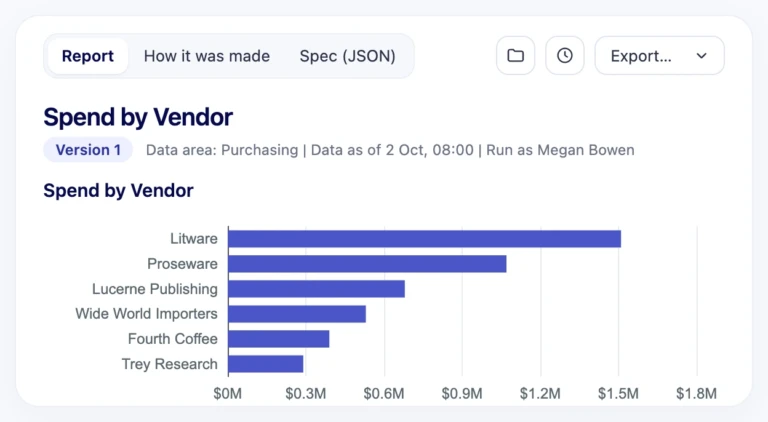
Ranking vendors by spend in Business Central
See which vendors account for the largest share of this quarter’s spend before your next negotiation.

What read-only access means for AI reporting on Dynamics 365
What InsightsCTRL can and cannot do with your Dynamics 365 records, and how administrators control access.
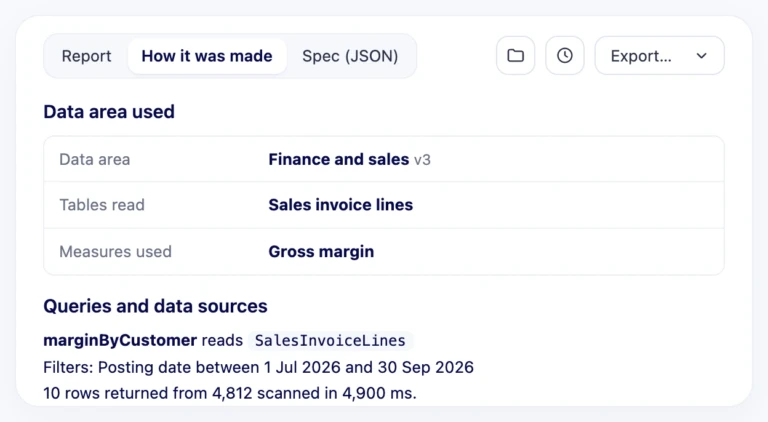
Checking how an AI-generated report was calculated
Open How it was made to see the data area, tables, measures and filters behind any figure.
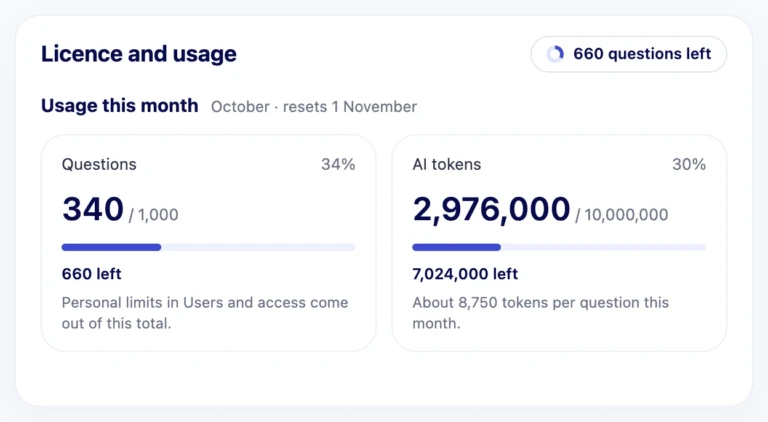
Setting monthly AI budgets for reporting users
Set allowances per person and for the company, then review usage by person.
No articles in this topic yet.
See your reporting question answered live
Bring a question from your team. Using demo data, we’ll build the report, show you how the figures were calculated and schedule it for delivery.