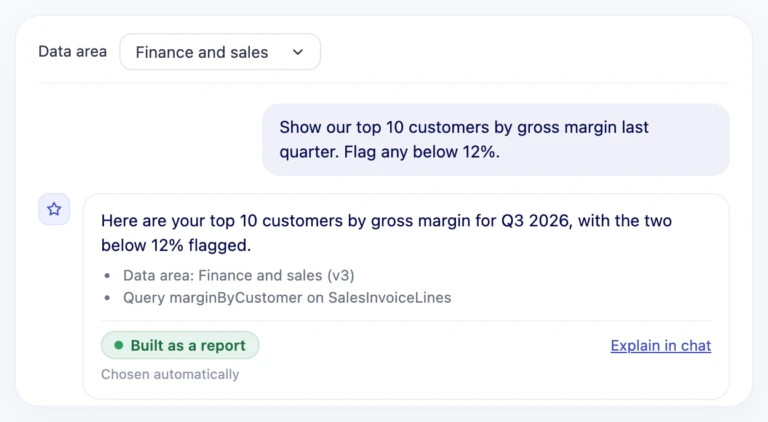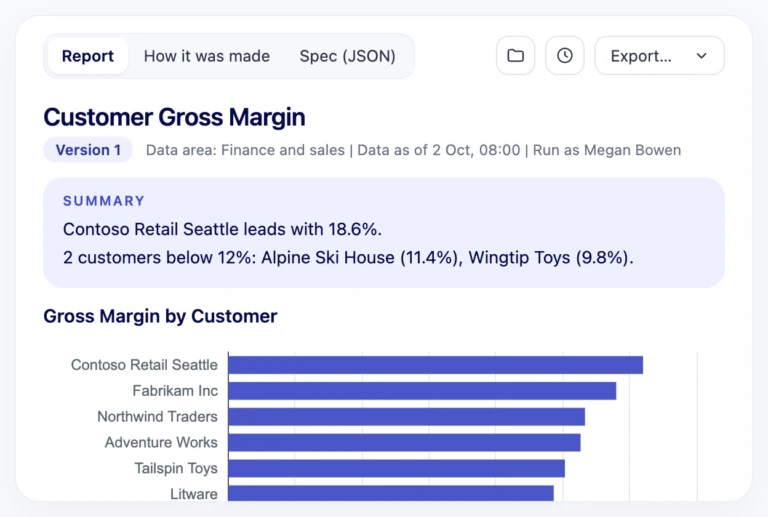
Short answer: InsightsCTRL is at Convergence AI+D365 2026, December 8 to 11 at the Fontainebleau Miami Beach. Visit Marklite at Booth 110 to see a Dynamics 365 question become a report built from a data area, check how each figure was calculated and schedule the report, all on demo data.
Where and when can you see InsightsCTRL?
| Event | Convergence AI+D365 2026 |
|---|---|
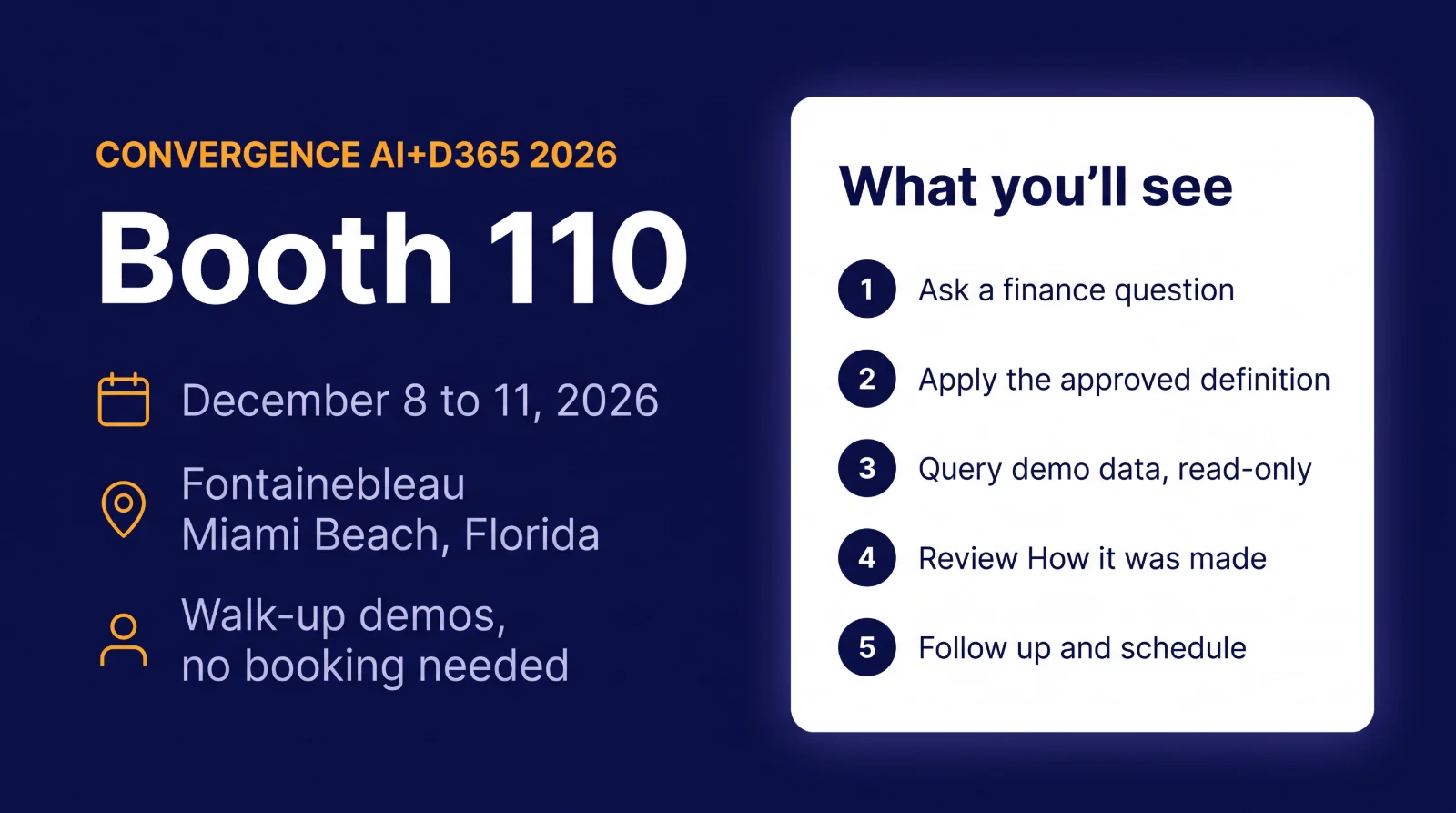
| Dates | December 8 to 11, 2026 |
| Venue | Fontainebleau Miami Beach, Florida |
| Booth | Marklite, Booth 110 |
| Demo | InsightsCTRL on Contoso demo data |
Convergence AI+D365 centers on AI in Microsoft Dynamics 365, so the demo focuses on whether teams can trust the numbers AI produces. Admission to the exhibition requires a Convergence registration.
What will you see at Booth 110?
The demo follows one finance question from start to finish. It is the same five-step process described in our guide to AI reporting for Microsoft Dynamics 365.
- Ask. We type “Show our top 10 customers by gross margin last quarter. Flag any below 12%.”
- Apply. InsightsCTRL picks the Finance and sales data area and uses its gross margin measure and rules.
- Query. The reporting engine reads the Contoso demo data with read-only access.
- Review. The report shows $9.42M revenue at a 16.1% gross margin, with Alpine Ski House and Wingtip Toys flagged below 12%. We open How it was made to show the data area, tables, measures and filters behind each figure.
- Reuse. We ask “Group by region instead,” then choose Schedule and set it for every Monday.
For administrators, we also show how to create data areas and set permissions for each user, and how the shared question pool and per-user limits are managed.
Who should stop by?
The demo is built for four groups.
- Finance leaders and controllers who want reports their teams can produce without a queue, on measures and rules Finance agrees. Read why Finance and Sales report different gross margins before you visit.
- Operations and supply chain managers who wait on reports from finance or a BI team for questions about stock, orders and vendors.
- IT administrators who need to know what an AI reporting tool can access in Dynamics 365. The answer is read-only access, limited to the data areas each user has permission to use. What read-only access means for AI reporting on Dynamics 365 covers the detail.
- Dynamics 365 partners who help clients define their measures and want those clients’ teams to report on them. Bring a client scenario and we will talk through how data areas and their rules are set up.
Can you bring your own question?
Yes. Write down one report your team waits for every week and bring it to the booth. We will run the question on the Contoso demo data so you can see the report it produces, the data area and measures it uses and how it would be scheduled. You don’t need to share any of your own data.
If you want to review How it was made in detail, read checking how an AI-generated report was calculated first and bring your questions about it.
When can you visit Booth 110?
Come to Booth 110 at any time while the exhibition is open. You don’t need to book: the team runs the InsightsCTRL demo for visitors as they arrive.
If you can’t attend, book an online demo for after the event.
What else is at Booth 110?
Marklite also shows RouteCTRL at Booth 110. RouteCTRL is a transportation management system fully integrated into Microsoft Business Applications, covering route planning, the Scheduler, the Operator App for drivers and proof of delivery. Teams that run both reporting and transportation on Dynamics 365 can see both products in one visit. Ask the team at the booth about the RouteCTRL demonstrations and the booth prize draw.
What should you do before December 8?
Pick the report you most want to stop waiting for, note which measures it depends on and check whether your teams agree on how each one is calculated. Bring that list to the booth.
Then read the guide to AI reporting for Microsoft Dynamics 365 and come to Booth 110 to see the report built.